6 Best AI Coding Assistants in 2026, Compared
Claude Code, Cursor, GitHub Copilot, OpenAI Codex, Google Antigravity and Devin Desktop compared on price, features and who each one suits best.

On this page
- Quick comparison
- How we chose
- 1. Claude Code: best coding agent
- 2. Cursor: best AI code editor
- 3. GitHub Copilot: best value
- 4. OpenAI Codex: best if you already pay for ChatGPT
- 5. Google Antigravity: best free option
- 6. Devin Desktop (formerly Windsurf): best for running many agents
- How to choose the right AI coding assistant
- Final verdict
- FAQ
- Sources
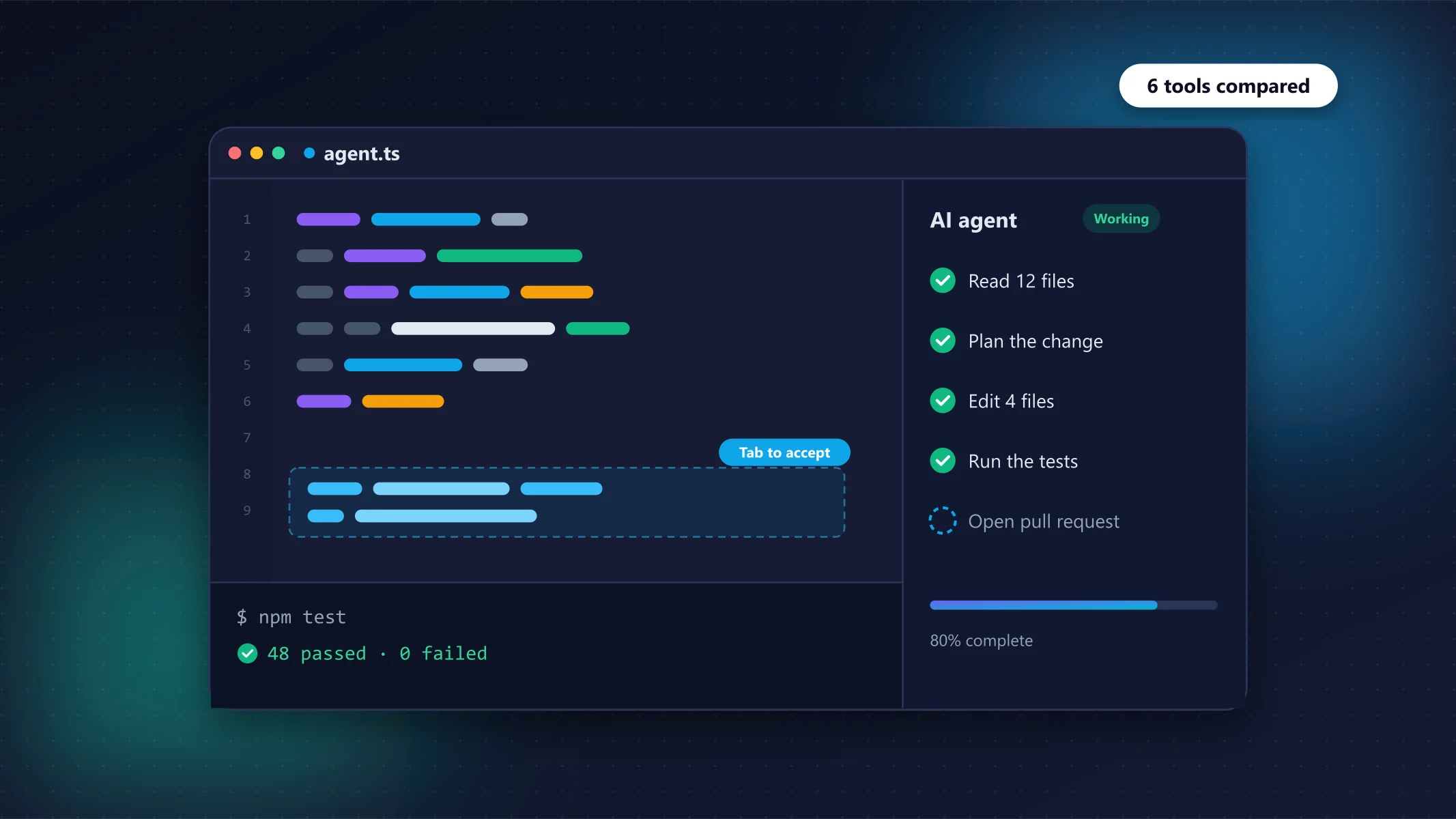
AI coding assistants have moved far beyond autocomplete. In 2026 the leading tools are agents: they read your codebase, plan a change across many files, run tests and open a pull request. They are also priced very differently, from free to $200 a month.
We compared the six assistants developers talk about most, using each vendor's official pricing page, product documentation and recent independent comparisons (sources at the end). Prices were checked in October 2026.
Our picks at a glance
Best coding agent: Claude Code · Best AI code editor: Cursor · Best value: GitHub Copilot · Best if you already pay for ChatGPT: OpenAI Codex · Best free option: Google Antigravity · Best for running many agents: Devin Desktop (formerly Windsurf)
Quick comparison
| Tool | Type | Free plan | Entry paid plan | Works in | Best for |
|---|---|---|---|---|---|
| 1. Claude CodeTop pick | Agent (CLI + IDE) | No | $20/mo (Claude Pro) | Terminal, VS Code, JetBrains, desktop, web | Complex multi-file work |
| 2. Cursor | AI-native editor | Yes | $30/mo (Premium) | Own editor (VS Code-based) | Developers who want AI in the editor |
| 3. GitHub Copilot | Assistant + agent | Yes | $10/mo (Pro) | VS Code, JetBrains, Visual Studio, CLI, GitHub | Best value, GitHub teams |
| 4. OpenAI Codex | Agent (CLI + cloud) | No | $20/mo (ChatGPT Plus) | Terminal, IDE, web, iOS | ChatGPT subscribers |
| 5. Google Antigravity | Agent-first IDE | Yes | $19.99/mo (Google AI Pro) | Own desktop app + CLI | Free agentic coding |
| 6. Devin Desktop | Editor + agent hub | Yes | $20/mo (Pro) | Own editor, JetBrains plugin | Managing several agents |
How we chose
- We looked only at tools that are actively developed and widely used in 2026.
- Each tool was compared on agent capability (multi-file edits, running commands, opening PRs), editor support, pricing and limits, and model choice.
- Facts come from official pricing and product pages; rankings are our editorial judgement based on that research and independent comparisons. Read our review process.
1. Claude Code: best coding agent
Claude Code
Best coding agentAnthropic's Claude Code is an agent that lives in your terminal and IDE. You describe a task, and it explores the repository, edits files, runs your tests and iterates until the job is done. Independent comparisons consistently rank it, alongside Codex, as one of the two most complete coding agents available.
- Very strong at planning and executing multi-file changes
- Works in the terminal, VS Code, JetBrains, desktop and web
- Hooks, skills and scheduled tasks for automation
- No free tier for Claude Code
- Heavy users will need the $100+ Max plan
Claude Code is included in Claude Pro ($20/month or $17/month billed yearly) and Max (from $100/month for 5× or 20× Pro usage). It is not available on the free Claude plan.
2. Cursor: best AI code editor
Cursor
Best AI editorCursor is an AI-first fork of VS Code and is widely regarded as the strongest AI-native editor. After its parent company Anysphere was acquired by SpaceX in August 2026, Cursor moved to new plans that share usage with Grok.
- Polished VS Code-based editor with deep AI integration
- Cloud agents, automations and Bugbot code review on Premium
- Excellent tab completion and multi-file edits
- Pricing changed significantly after the SpaceX/xAI acquisition
- Third-party models are billed separately at API prices
- The $8 Plus plan only includes Grok models
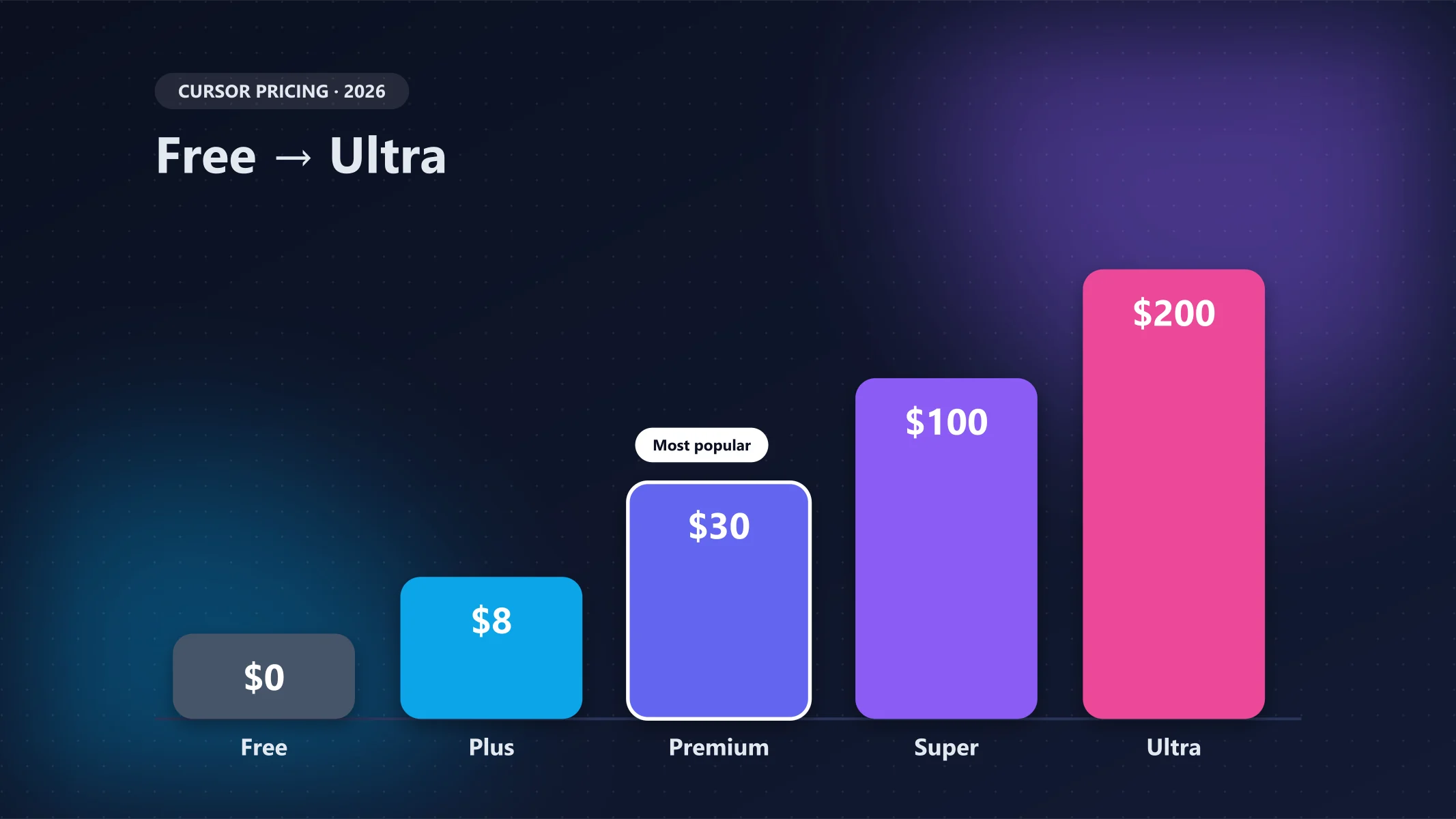
The new line-up is Free, Plus ($8/month, Grok models only), Premium ($30/month, 4× Plus usage, cloud agents and Bugbot), Super ($100/month) and Ultra ($200/month). On Premium and above, Claude, GPT and Gemini models are available but billed separately at API list prices, so check the pricing page before you commit.
3. GitHub Copilot: best value
GitHub Copilot
Best valueGitHub Copilot is the easiest assistant to adopt: it plugs into VS Code, JetBrains, Visual Studio and the terminal, and integrates tightly with GitHub issues, pull requests and code review.
- Cheapest serious paid plan at $10/month
- Works in almost every editor plus the CLI and GitHub.com
- Access to 30+ models from Anthropic, OpenAI, Google and others
- Cloud agent turns issues into pull requests
- Free plan caps inline suggestions at 2,000 per month
- Delegating to Claude or Codex agents needs Pro+ or Max
Copilot now uses AI credits (1 credit = $0.01). Pro ($10/month) includes $15 of credits, the cloud agent and pull-request code review. Pro+ ($39/month) adds delegation to third-party agents like Claude and Codex, and Max ($100/month) includes $200 of credits.
4. OpenAI Codex: best if you already pay for ChatGPT
OpenAI Codex
Best for ChatGPT usersCodex is OpenAI's coding agent. It is not sold separately for interactive use; instead it is bundled into ChatGPT plans and works across the web app, a CLI, IDE extensions and iOS.
- No extra subscription if you already have ChatGPT Plus
- Runs locally in the CLI/IDE or as cloud tasks
- One of the most capable agents in independent comparisons
- Cloud tasks are limited per 5-hour window on Plus
- Go plan does not unlock cloud task delegation
If you already pay $20/month for ChatGPT Plus, Codex is effectively free to try. The $100 Pro plan (launched April 2026) gives 5× Plus's Codex usage, and the $200 Pro plan gives 20×.
5. Google Antigravity: best free option
Google Antigravity
Best freeAntigravity is Google's agent-first development environment. Google's newest Gemini 4 Argon model arrived there first for Ultra subscribers in October 2026.
- Genuinely usable free tier with unlimited tab completions
- Agent-first desktop app and CLI
- Higher limits come with Google AI Pro (which also includes 5 TB storage)
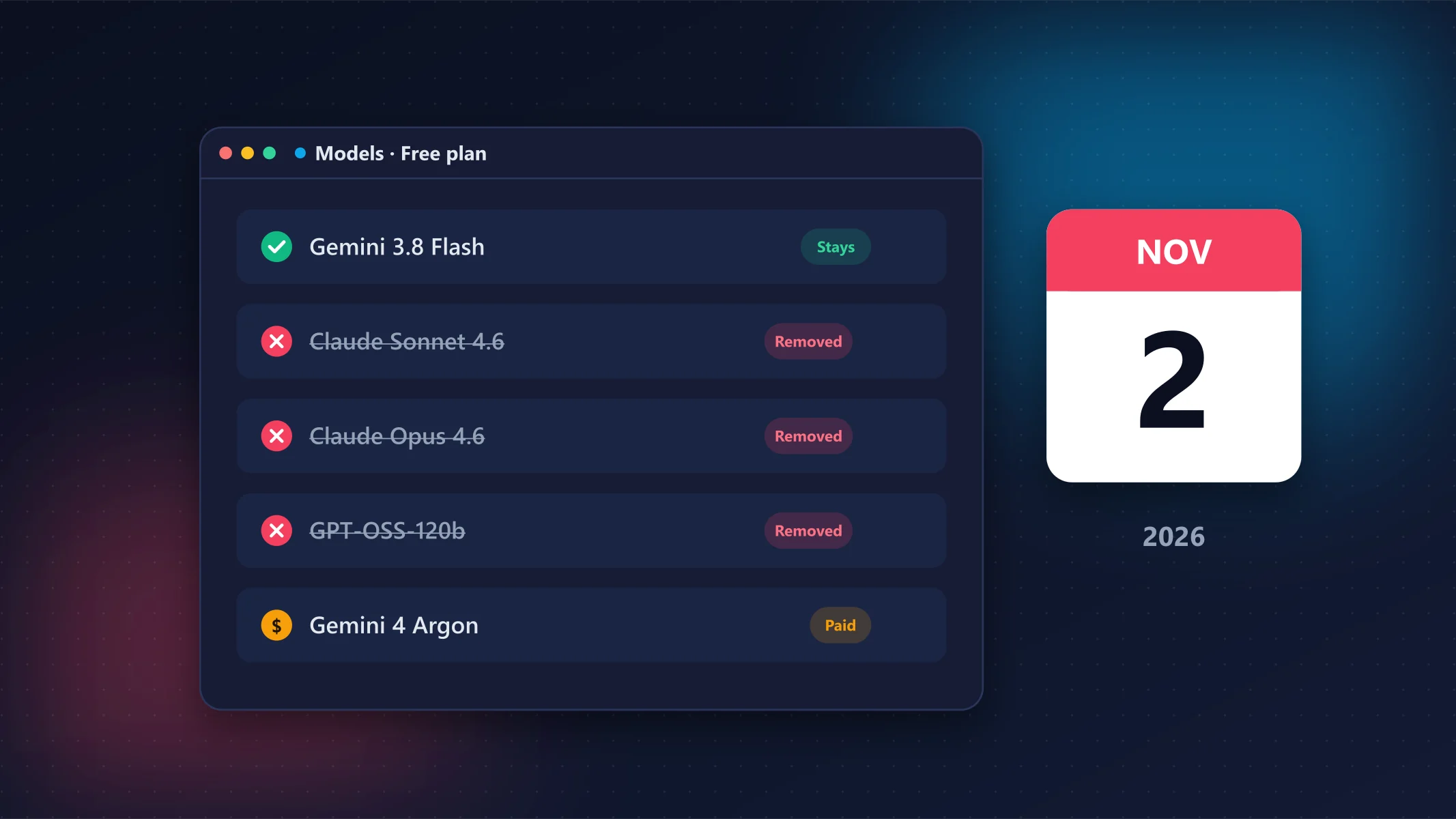
- Free tier drops non-Gemini models on November 2, 2026
- Quota is based on agent work, so limits can be hard to predict
6. Devin Desktop (formerly Windsurf): best for running many agents
Devin Desktop
Cognition renamed Windsurf to Devin Desktop in June 2026. It keeps the Windsurf editor and adds a command center for running and reviewing multiple local and cloud agents.
- Agent command center with Kanban view for many agents
- Local and cloud sessions with shared context
- Supports third-party agents via Agent Client Protocol
- Recent rename and agent changes mean older tutorials are outdated
- Big jump from $20 Pro to $200 Max
How to choose the right AI coding assistant
Agent or editor?
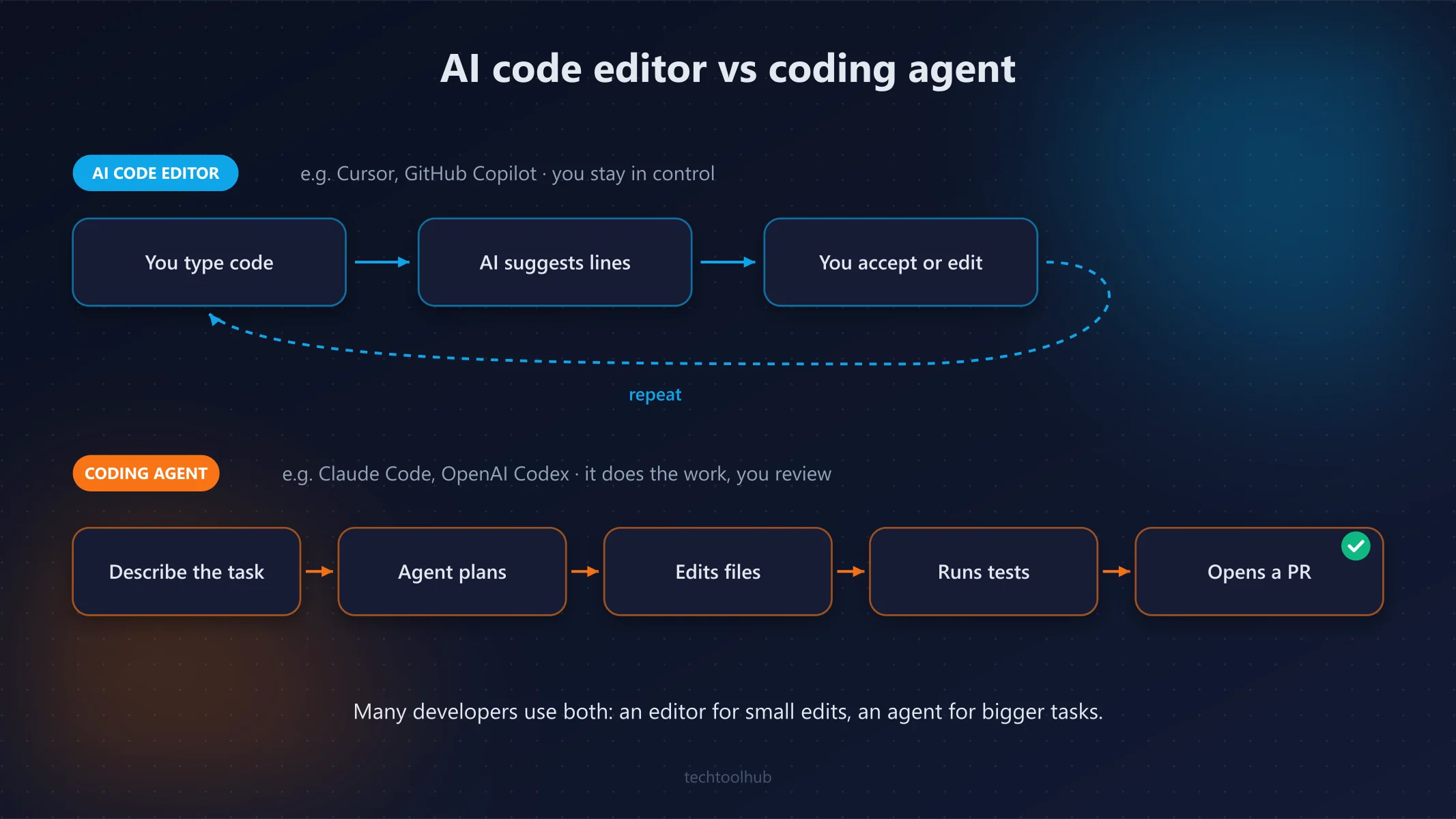
If you want an assistant that takes a task and finishes it, choose an agent such as Claude Code or Codex. If you prefer to stay in control and accept suggestions as you type, an AI editor like Cursor or Copilot in VS Code will feel more natural. Many developers use one of each.
Check how usage is measured
Every tool now meters usage differently: Copilot uses AI credits, Cursor shares a usage pool with Grok, and Claude, ChatGPT and Google plans use rolling limits. Start on the cheapest plan and upgrade only when you hit limits.
Privacy and company code
Before using any assistant on work code, check your employer's policy and the vendor's data-retention terms. Business and Enterprise plans usually add admin controls, SSO and stricter data handling.
Final verdict
Our top pick
Excellent
Claude Code is our top pick for serious agentic coding, with Codex a close equal if you already pay for ChatGPT. Prefer an AI editor? Choose Cursor. On a budget, GitHub Copilot Pro at $10/month is the best value, and Google Antigravity is the best way to start for free.
Best for: Developers who want an agent that can finish real tasks
FAQ
What is the best AI coding assistant in 2026?
For agentic work across many files, Claude Code and OpenAI Codex are the strongest options. Cursor is the best AI-native editor, and GitHub Copilot offers the best value at $10/month.
Is there a free AI coding assistant?
Yes. Google Antigravity, GitHub Copilot Free, Cursor Free and Devin Desktop Free all have free tiers with usage limits. Antigravity's free tier is the most generous for agent-style work.
Is GitHub Copilot better than Cursor?
Copilot is cheaper and works in more editors. Cursor offers a more deeply integrated AI editing experience. If you use JetBrains IDEs or want the lowest price, choose Copilot; if you are happy in a VS Code-based editor and want the most polished AI editor, choose Cursor.
Do I need ChatGPT Plus to use Codex?
For the full experience, yes. Codex is included with ChatGPT Plus ($20/month) and Pro. You can also use the Codex CLI with an API key, billed per token.
Sources
- Claude plans and pricing (Anthropic)
- Cursor pricing (Cursor)
- GitHub Copilot plans (GitHub)
- Devin Desktop (Cognition)
- Google AI plans (Google)
- Codex pricing in 2026 (eesel AI)
- Google Antigravity pricing (CloudZero)
- Best AI coding assistants 2026 (Scrimba)
- Cursor (company) (Wikipedia)
How we test
We use every tool we review on real projects, compare it with its closest alternatives and update articles when pricing or features change. Read our review process.
Related articles
Cursor’s New Pricing Explained: Is It Still Worth It?
Premium ($30) is the plan most developers need; Plus ($8) only makes sense if you are happy using Grok models.
Google Antigravity Free Tier Changes: What You Lose on Nov 2
Free users are left with Gemini 3.8 Flash only; Google AI Pro ($19.99) is now the cheapest way to keep Claude in Antigravity.
6 Best Note-Taking Apps in 2026: Free & Paid Picks
Notion is the best all-in-one workspace, Obsidian the best for privacy and personal knowledge, and OneNote the best free pick.